Wiki Editing
There are 3 ways to edit the documents here:
- Simple page edits via github code browser UI.
- Multi page edits via github code editor UI.
- Checkout the docs-server repo and push changes.
1. Simple page edits via github code browser UI.
-
Navigate to a page you want to edit, e.g. https://github.com/attestantio/docs-server/blob/master/operations/vouch.md
-
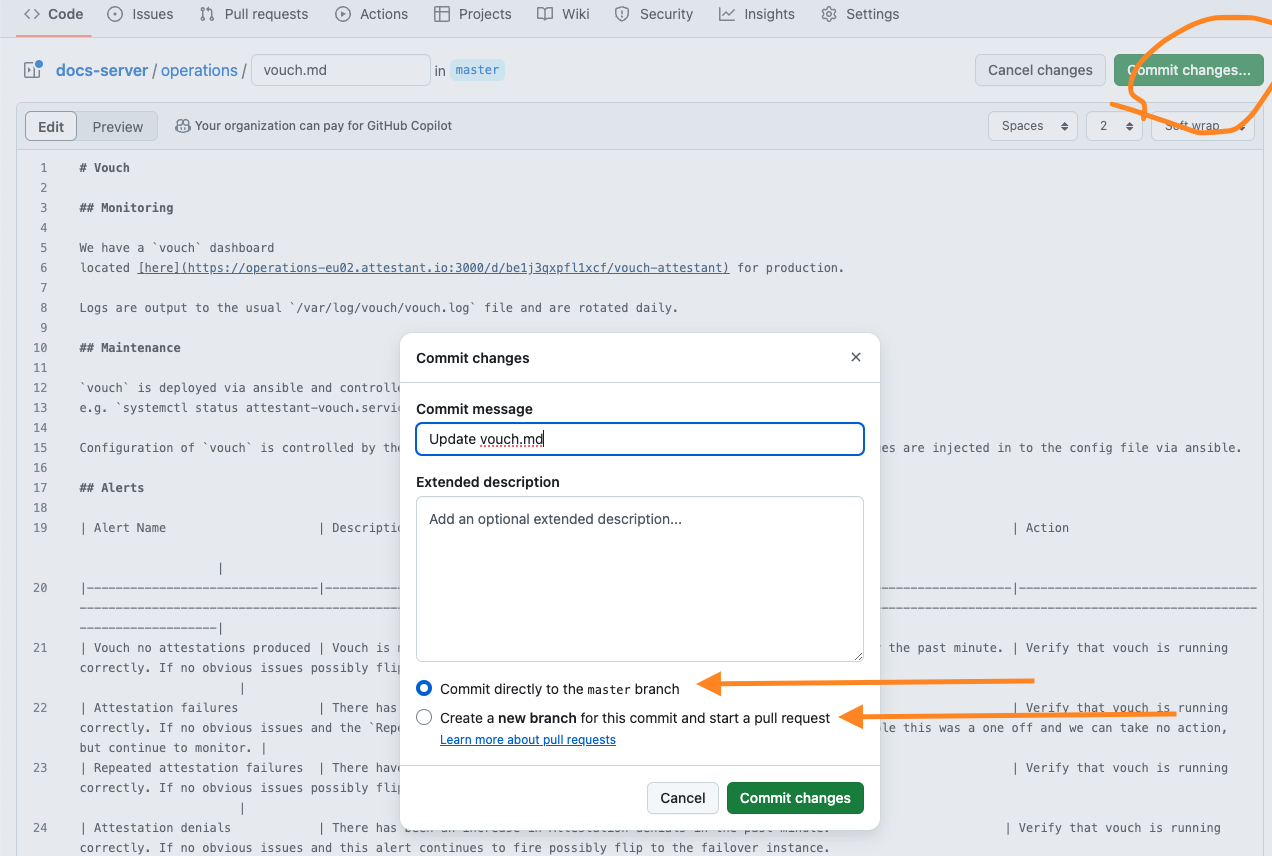
Click the edit button in the top right corner:

-
Make changes as required.
-
Click commit changes and then either merge directly to master or raise a PR for feedback:
2. Multi page edits via github code editor UI.
-
Navigate to https://github.dev/attestantio/docs-server/, which will open the VSCode integrated editor.
-
Make changes as required.
-
Open the commit dialog on the left hand side, enter a commit message and then click
Commit & Push: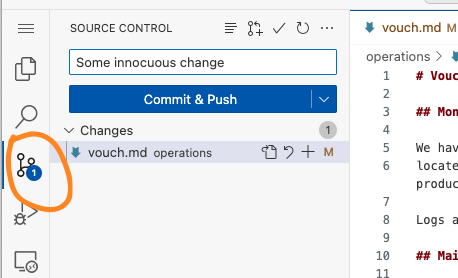
3. Checkout the docs-server repo and push changes.
- Clone the repo https://github.com/attestantio/docs-server/.
- Make changes as required.
- Either commit and push the changes or create a branch and raise a PR if you would like feedback